Bootstrap Admin Dashboard Templates in 2026
If you want to ship a polished backend fast, the right Bootstrap Admin Dashboard Templates can save days of UI work, keep your layout consistent, and give you ready-made pages for analytics, forms, tables, and user management. Below are five strong options from Envato Elements—ranging from classic Bootstrap dashboards to framework-ready builds (Flask, Laravel, React) and a Tailwind UI kit for teams that prefer utility-first styling.
For each template, you’ll get a quick, SEO-friendly overview plus clear pros and cons to help you pick the best fit for your stack, timeline, and long-term maintenance.
| Theme Name | Price | Overall Rating |
|---|---|---|
| WebAdmin | Included with Envato | ⭐⭐⭐⭐ 4.6/5 |
| LAHomes | Included with Envato | ⭐⭐⭐⭐ 4.5/5 |
| Adminto | Included with Envato | ⭐⭐⭐⭐ 4.7/5 |
| Dashtrap | Included with Envato | ⭐⭐⭐⭐ 4.4/5 |
| Bootstrap Laravel | Included with Envato | ⭐⭐⭐⭐ 4.6/5 |
WebAdmin

WebAdmin is a practical choice for teams that want Bootstrap Admin Dashboard Templates with a straightforward PHP workflow and a familiar Bootstrap 5 layout system. It’s designed to speed up admin builds with reusable UI blocks, common dashboard widgets, and ready-to-style screens that look consistent across devices.
If you’re building internal tools, customer portals, or lightweight SaaS back offices, this template gives you a clean foundation without forcing a heavy framework. It’s best for developers who value quick integration, predictable structure, and easy theming over niche industry features.
- Fast to integrate into existing PHP projects
- Clean Bootstrap layout that scales well
- Reusable UI parts for rapid screen building
- Solid base for portals and internal tools
- PHP-first approach may not suit SPA stacks
- May require extra work for complex auth flows
- Industry-specific modules are limited
- Advanced state management is on you
LAHomes
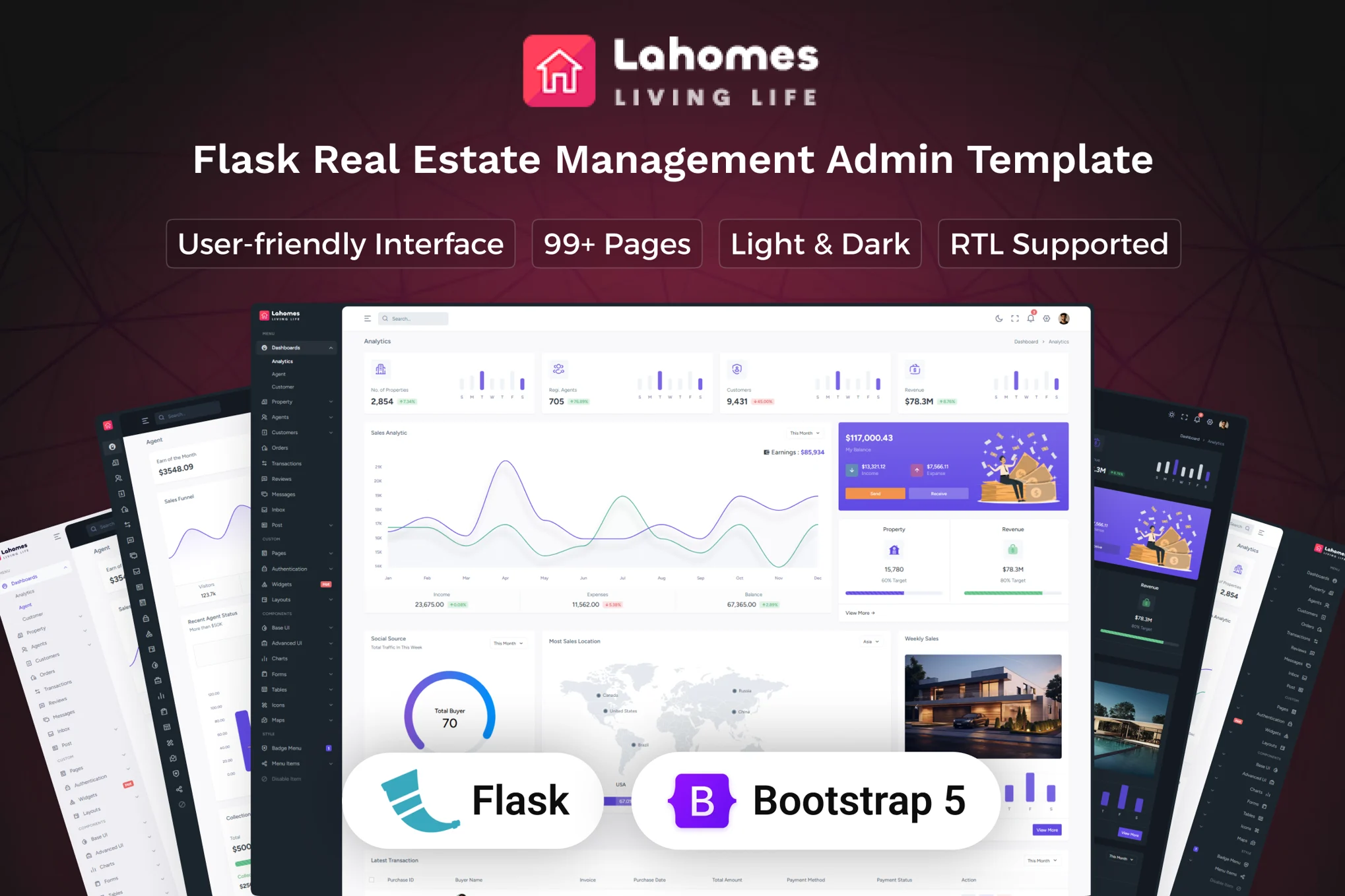
LAHomes is built for property and listing workflows, making it one of the more specialized Bootstrap Admin Dashboard Templates on this list. It’s a strong pick if your admin needs dashboards tailored to real estate operations—think property management, agent/admin views, and data-heavy screens that still feel modern. Because it’s Flask-based, Python teams can keep backend logic and templating close to the UI, while Bootstrap styling keeps pages responsive and consistent. If you want a themed admin that looks “industry ready” out of the box, LAHomes is a compelling shortcut.
- Real-estate oriented structure for faster launches
- Flask-friendly setup for Python teams
- Modern pages that look client-ready
- Great for dashboards, listings, and operations
- Best value mainly if you need real estate workflows
- Extra effort if you’re not using Flask
- Some UI patterns may be too “property” specific
- Customization may involve deeper template refactoring
Adminto
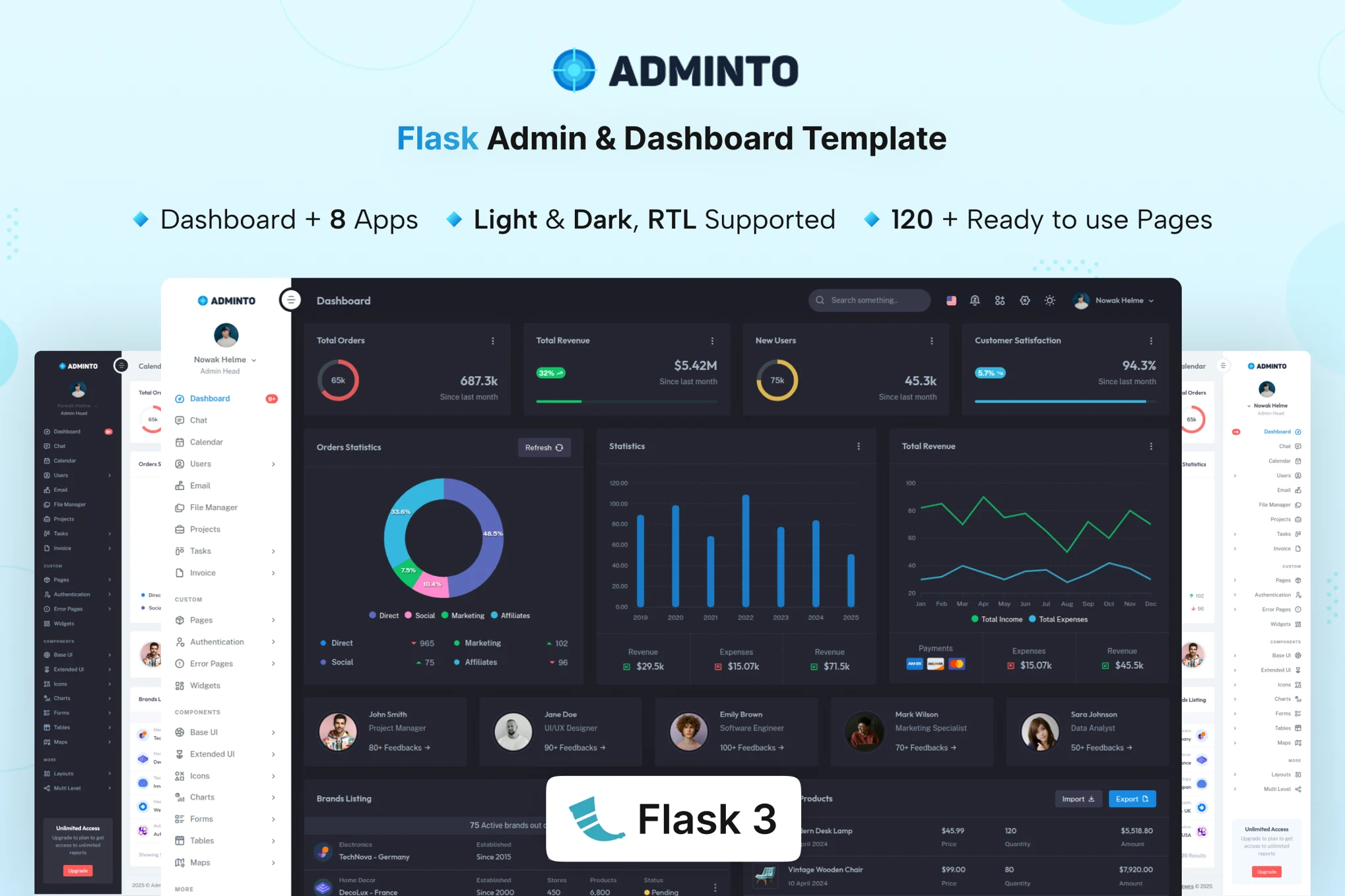
Adminto is a versatile, general-purpose option for teams who want Bootstrap Admin Dashboard Templates with a strong Flask foundation. It’s designed around the kind of screens most products need:dashboards, forms, tables, charts, and common utility pages. That “broad coverage” makes it a great fit for SaaS back offices, analytics panels, and admin consoles where you’ll add your own domain logic on top. The Bootstrap-based layout keeps everything responsive, while the template’s component-driven approach helps you build new sections quickly without losing visual consistency or UX quality.
- Excellent all-round admin foundation for Flask apps
- Strong page coverage for real product needs
- Bootstrap structure keeps UI consistent and responsive
- Great baseline for SaaS and internal platforms
- General-purpose design may feel less “branded” by default
- Requires your own domain-specific modules
- Some screens may be more than minimal projects need
- Frontend tweaks can grow if you want a unique look
Dashtrap

Dashtrap is the outlier here:it’s not one of the traditional Bootstrap Admin Dashboard Templates, but it’s a smart alternative if your team prefers Tailwind for speed and granular control. It’s built as a UI kit starter:reusable layouts, forms, dashboards, and components you can assemble into an admin fast. For modern teams building custom interfaces (SaaS dashboards, CRMs, LMS panels), Dashtrap can be quicker to theme than Bootstrap because you can tune spacing and typography directly in markup. It’s best when you want a clean admin skeleton and plan to customize heavily.
- Utility-first workflow for rapid, precise styling
- Reusable UI kit components speed up new screens
- Great starting point for modern SaaS dashboards
- Easy to brand when you’re customizing heavily
- Not Bootstrap-based (may not match your stack)
- Markup can get verbose with utility classes
- Teams used to Bootstrap components may need time to adjust
- Less “plug-and-play” if you want a Bootstrap look
Bootstrap Laravel

This template targets teams that want Bootstrap Admin Dashboard Templates with a modern, scalable front-end direction. The big advantage is flexibility:Bootstrap styling for consistent layouts, plus an approach that can fit Laravel projects and React-driven admin experiences. If you’re building a backend UI where charts, tables, analytics, and user management need to feel cohesive, this is a strong pick. It’s especially useful when you want a “UI system” that can grow with your product—keeping navigation, components, and page patterns consistent as the dashboard expands over time.
- Strong choice for Laravel + modern UI workflows
- Bootstrap grid keeps layouts predictable at scale
- Great for data-heavy dashboards and admin pages
- Flexible foundation for long-term product growth
- May be heavier than small projects need
- Framework integration still requires developer setup
- React builds can add tooling complexity
- Brand-level uniqueness may require extra design work
Final Thoughts
Choosing the right Bootstrap Admin Dashboard Templates comes down to stack alignment and how quickly you need to ship. If you’re building a Flask product and want a dependable, general-purpose admin with broad page coverage, Adminto is the most balanced option for day-to-day SaaS and internal tooling. If you want a dashboard that feels industry-specific right away, LAHomes delivers strong real-estate visual polish with workflows that map well to property platforms.
For PHP teams who want a clean, practical base without overengineering, WebAdmin is a straightforward win. If your roadmap includes a more modern frontend architecture (or you want flexibility for Laravel and React), the Bootstrap Laravel & React template is a future-friendly foundation. Finally, if budget and fast branding matter and you’re open to a non-Bootstrap approach, Dashtrap is a strong utility-first kit to customize quickly.
Final Verdict
- Best Overall Value: Adminto (Flask Admin Dashboard Template)
- Best Visual Impact: LAHomes (Flask Real Estate Admin Dashboard Theme)
- Best Customization: Dashtrap (Tailwind CSS Admin & UI Kits Template)
- Best Features: Bootstrap Laravel & React Admin Dashboard Template
- Budget Pick: WebAdmin (PHP Admin Dashboard Template)